Turning on the Notification Popup, then opening a referral link
Turn on the Notification Popup
1
Open your theme editor
In your Shopify admin, go to Online Store → Themes.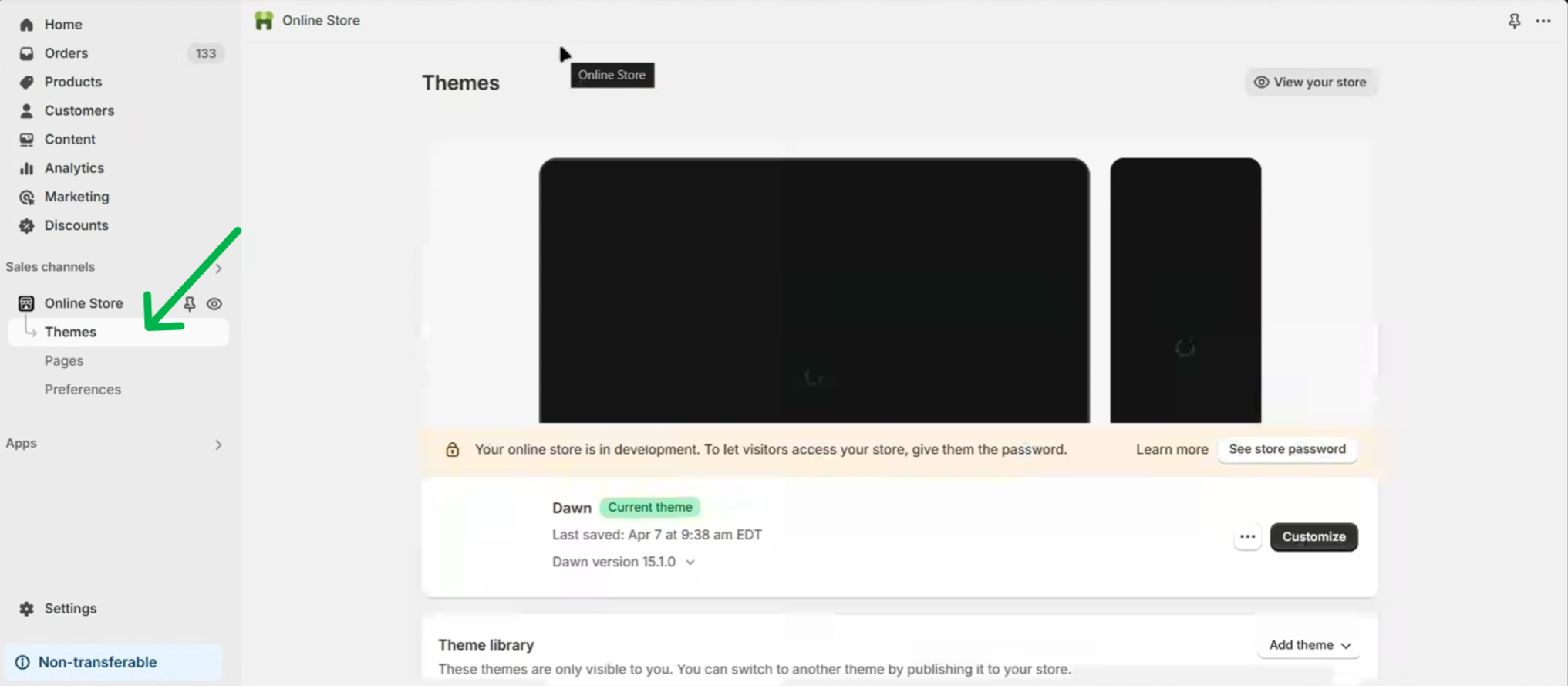 Click Customize on your current theme.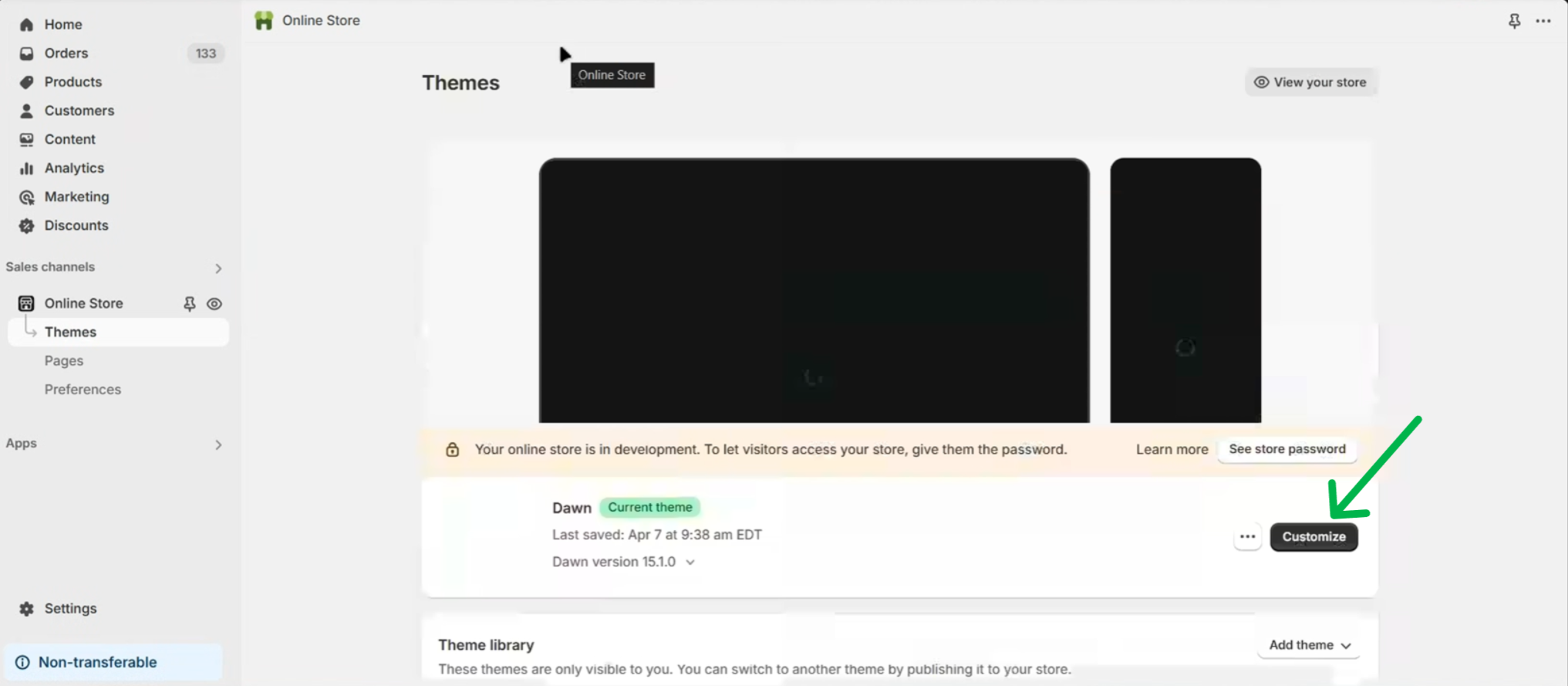
2
Open App embeds
Click the App embeds icon in the left sidebar.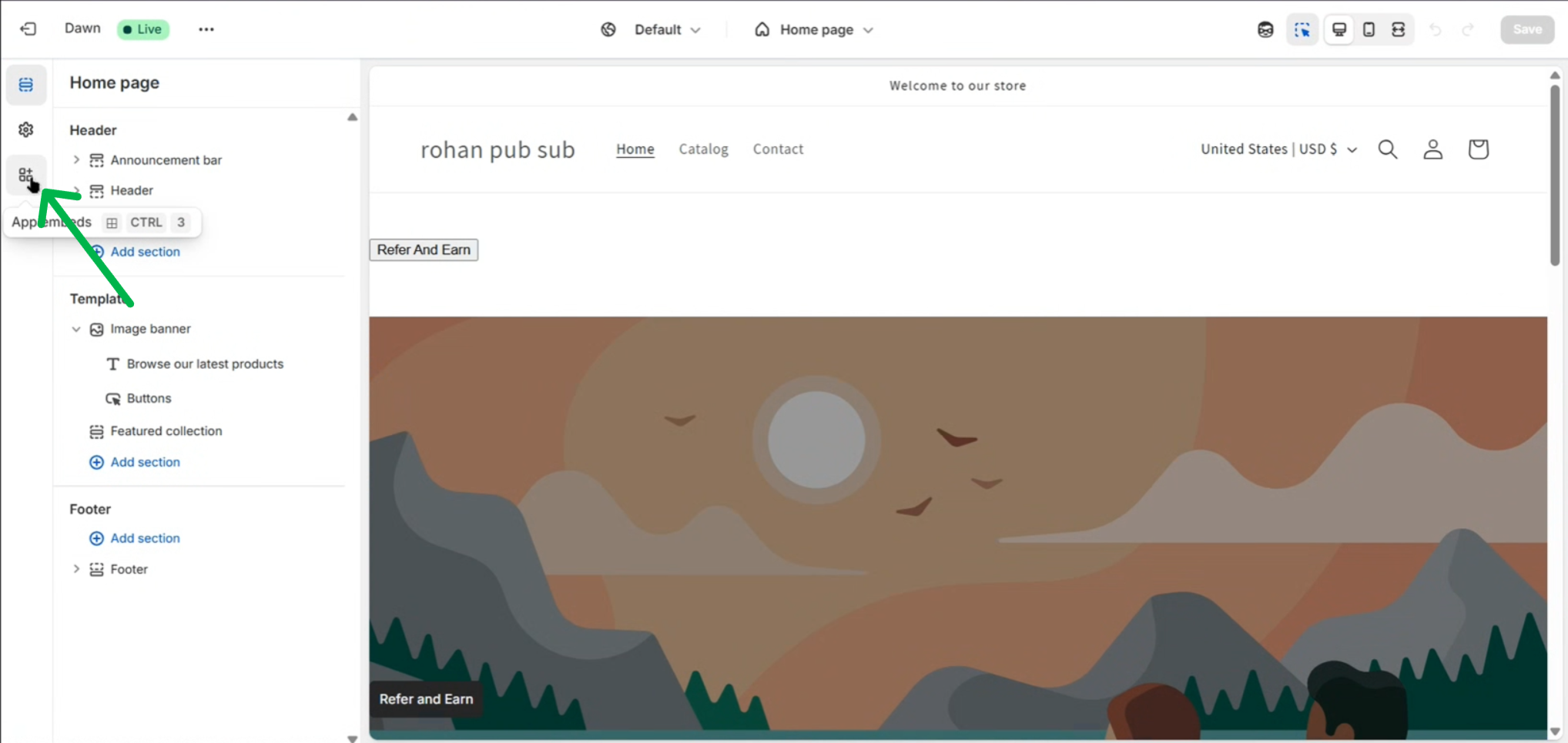
3
Turn on Notification Popup
Find Notification Popup (by ReferRush) and switch its toggle on.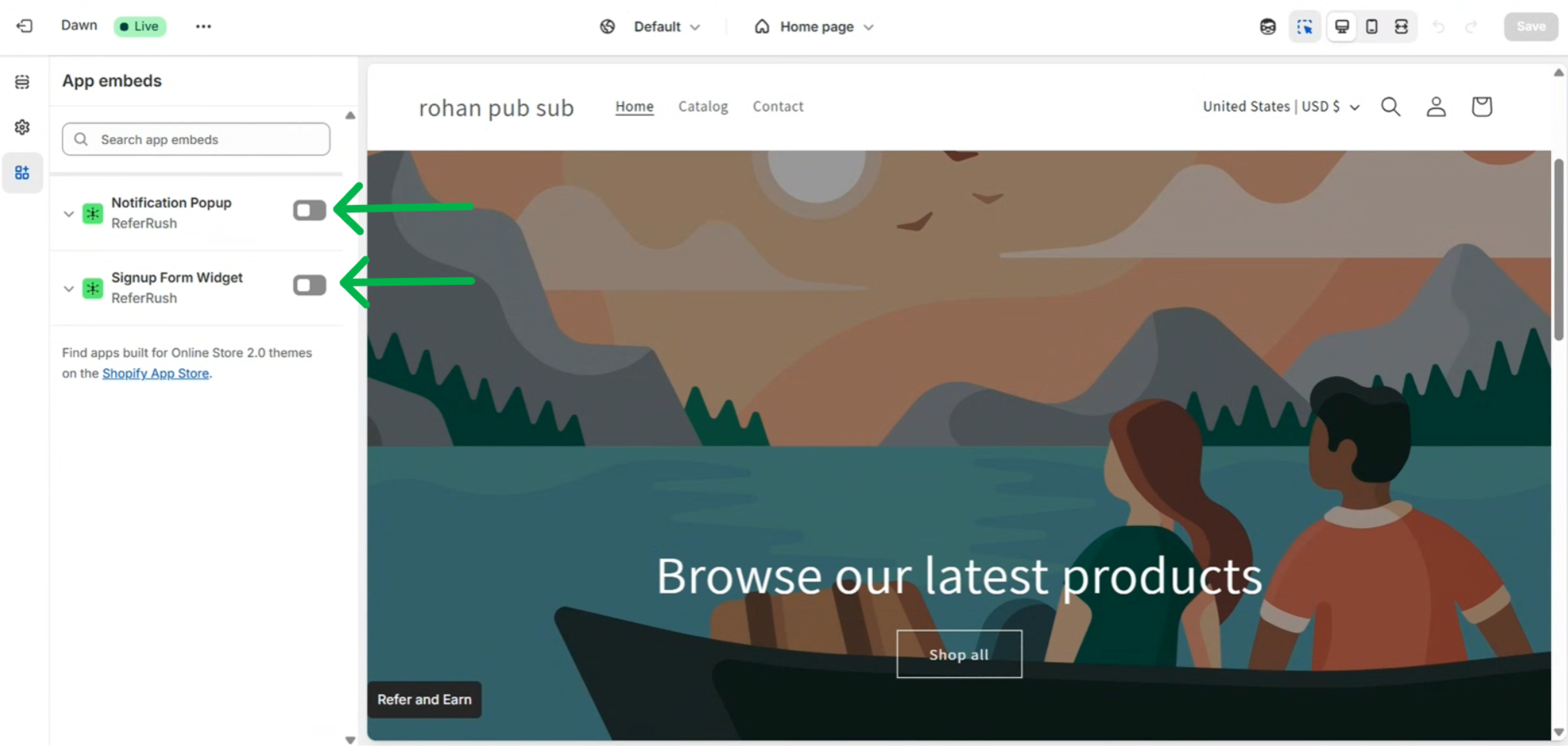
4
Save
Click Save in the top-right corner.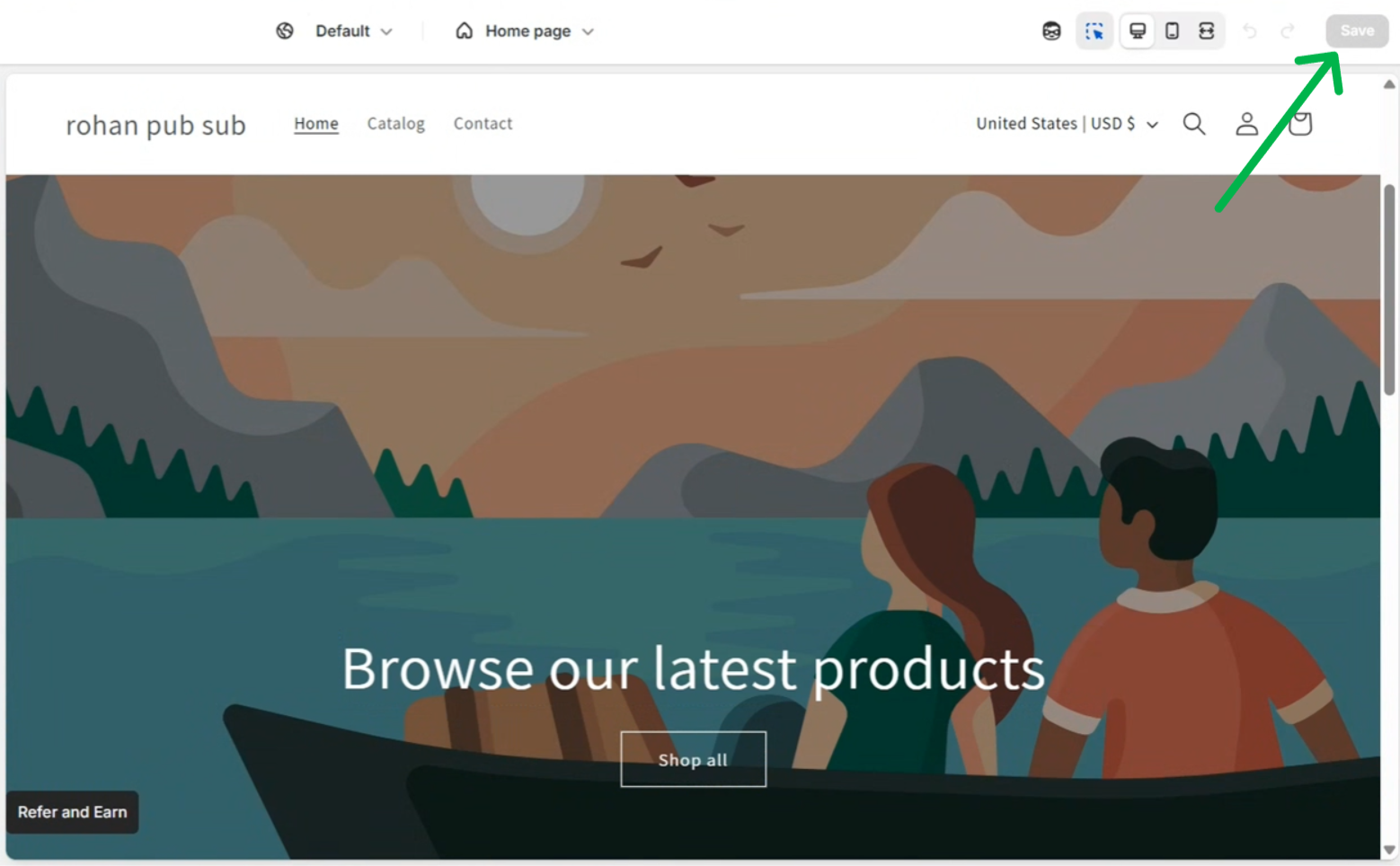
5
Check that it's on
In your ReferRush dashboard, go to Channels → Notification Popup. The page shows an ACTIVE badge once the popup is on in your live theme.
Test it
The popup only shows to visitors who arrive through a referral link. Get a referral link for your store (for example, by joining through the Signup Form) and open it in a private or incognito window.Customize it
In your ReferRush dashboard, go to Channels → Notification Popup.- Settings
- Appearance
- How long a referral stays active: forever, or a set number of days (30 days is recommended).
- Show the popup again on repeat visits: by default the popup shows once per visitor. Turn this on to show it again after a cooldown.
- Which pages it appears on: the homepage always shows it. You can also show it on product and collection pages.
- Where referral links land: the page visitors open before the popup shows, such as a best-sellers collection. By default this is your homepage.
- Traffic source labels: the
utm_sourceadded to referral and affiliate links, for your analytics.
Troubleshooting
The popup is not showing
The popup is not showing
- Make sure you clicked Save in the theme editor, and that you turned the embed on in your live theme.
- Make sure you opened a referral link. Visiting your store directly does not show the popup.
- Make sure the page you landed on is one the popup is set to appear on.
- The popup shows once per visitor by default. If you’ve already seen it, test in a new private or incognito window.
- Make sure your referral program is turned on in your ReferRush dashboard.
The dashboard still shows INACTIVE
The dashboard still shows INACTIVE
ReferRush checks your live theme. If you turned the embed on in a different theme, or didn’t save, it stays inactive. Turn it on in your live theme, save, then reload the dashboard.