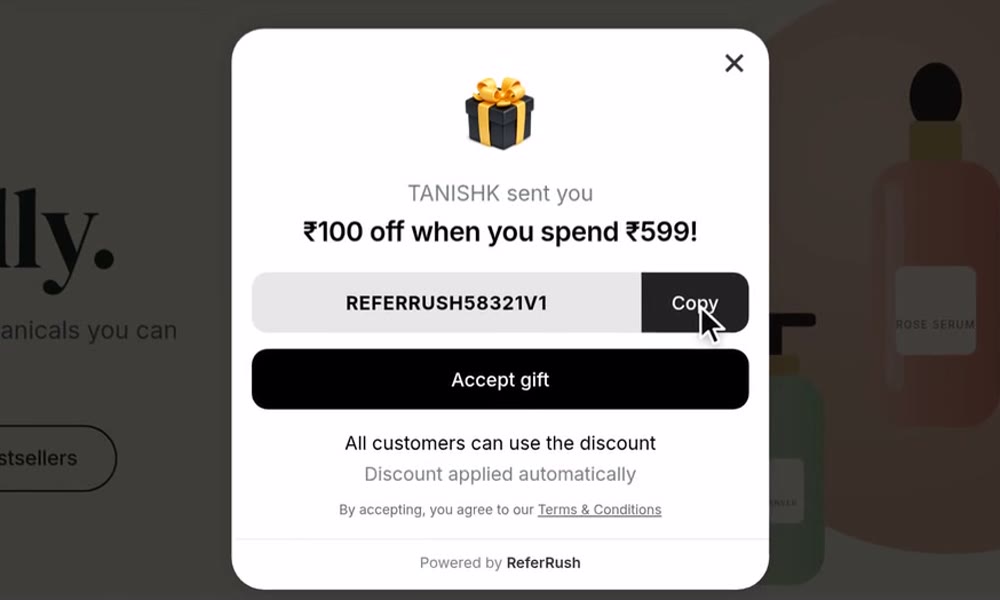
Notification Popup
Shows friends their gift when they open a referral link, and tracks the referral.
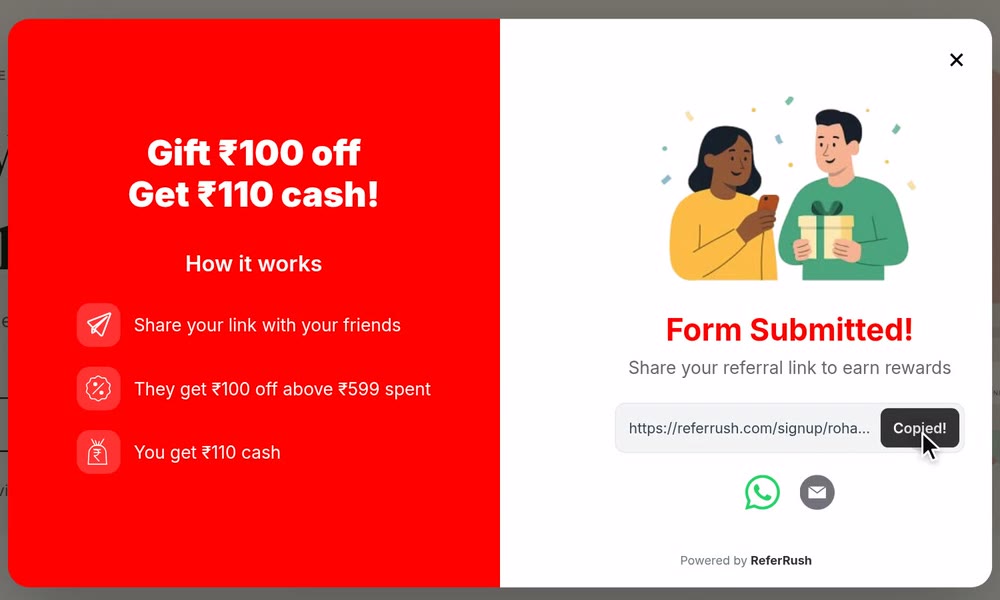
Signup Form
A floating button that lets any visitor join and get their referral link.
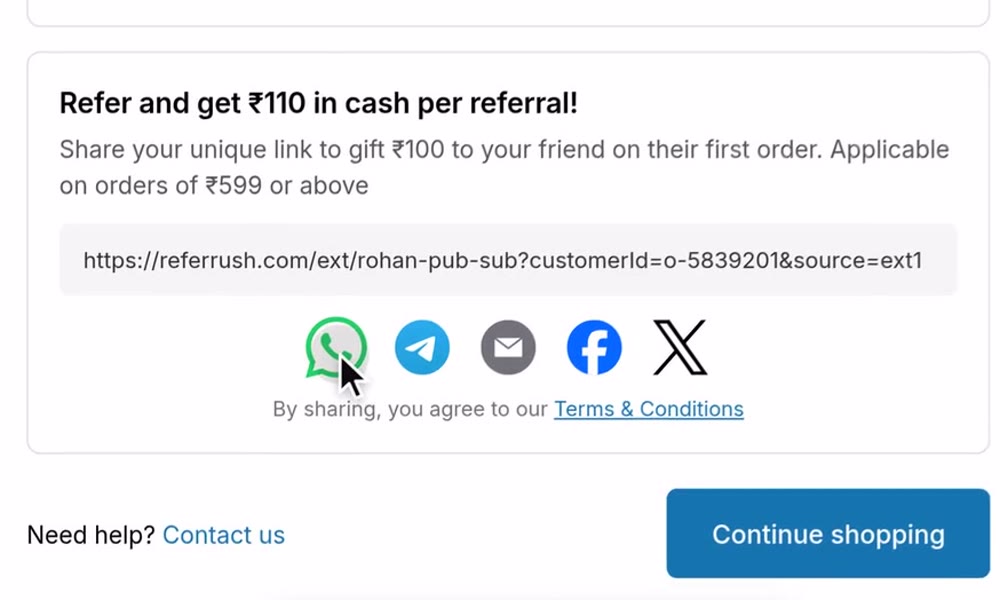
Thank You Page
Shows customers their referral link right after they buy.
Where each one is turned on
Recommended order
1
Set your offer and reward
The widgets show the offer and reward you set in Offer & Reward, so set those first.
2
Turn on the Notification Popup
This makes referral links work. Set it up.
3
Turn on the Signup Form
This lets any visitor join your program. Set it up.
4
Add the referral link to your Thank You page
This asks every customer to refer right after they buy. Set it up.